HTOP is a popular system monitoring tool that allows users to monitor the system status, resources, and running processes in real time. It is a useful alternative to the default top command-line tool on Ubuntu. In this article, we will discuss how to install HTOP on Ubuntu 22.04.
How to Install HTOP on Ubuntu
Update your Ubuntu
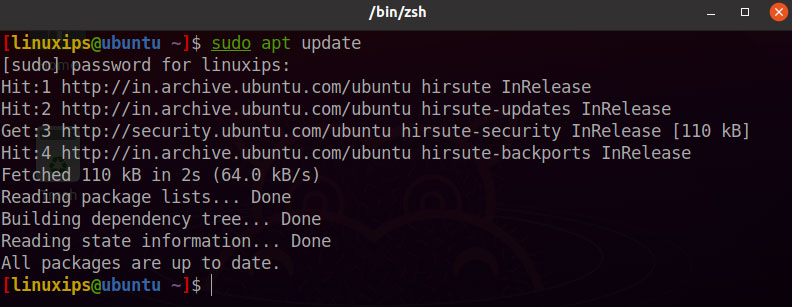
First of all, we have to update our Ubuntu. So you have to run the following command in the terminal.
$ sudo apt update
Installation of HTOP
In Ubuntu, we have to install the HTOP using the following command:
$ sudo apt install htop
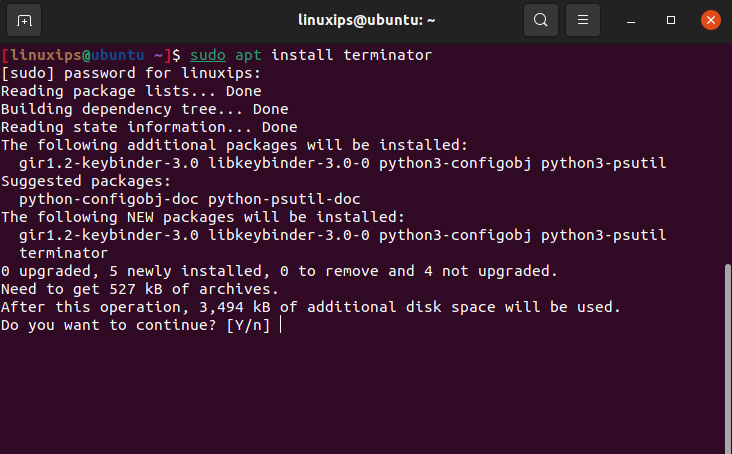
So after completing the above command. The HTOP (Monitor System Processes) is installed in your Ubuntu. Now you have to simply run the htop command in your terminal. So this is the htop in your Ubuntu.
Using HTOP
Now that HTOP is installed, you can use it to monitor your system resources and processes. To start HTOP, simply open the terminal and type the following command:
htop
This will launch the HTOP interface, which displays system resource usage and process information in real-time.
HTOP interface is divided into three sections. The top section displays system resource usage, including CPU usage, memory usage, and swap usage. The middle section displays a list of running processes, along with their resource usage. The bottom section displays a list of active system threads.
You can interact with HTOP using various keyboard shortcuts. Here are some of the most useful shortcuts:
- F1 or h: Opens the HTOP help menu
- F2 or S: Opens the setup menu, which allows you to customize HTOP settings
- F3 or /: Allows you to search for a specific process by name
- F4 or t: Allows you to filter processes by process tree
- F5 or m: Allows you to sort processes by memory usage
- F6 or c: Allows you to sort processes by CPU usage
- F7 or P: Allows you to sort processes by process ID
- F8 or T: Allows you to sort processes by time
- F9 or k: Sends a signal to a selected process to kill it
- F10 or q: Quits HTOP
How to Uninstall HTOP on Ubuntu
If we have to uninstall the htop we have to follow the following command:
Uninstall only htop:
$ sudo apt remove htop
Uninstall htop and its dependencies (which are no longer needed):
$ sudo apt remove --auto-remove htop
Conclusion
So this is the way how to install htop on Ubuntu. HTOP is a powerful tool for monitoring system resources and processes on Ubuntu 22.04. With the easy-to-use interface and keyboard shortcuts, HTOP makes it easy to monitor the system status in real time. By following the steps outlined in this article, you can easily install HTOP and start using it to optimize your system’s performance.
Related Linux Tutorials: